How to Build in Create a Cart Ride
Practical track design tips so visitors finish your ride instead of rage-quitting the first drop.
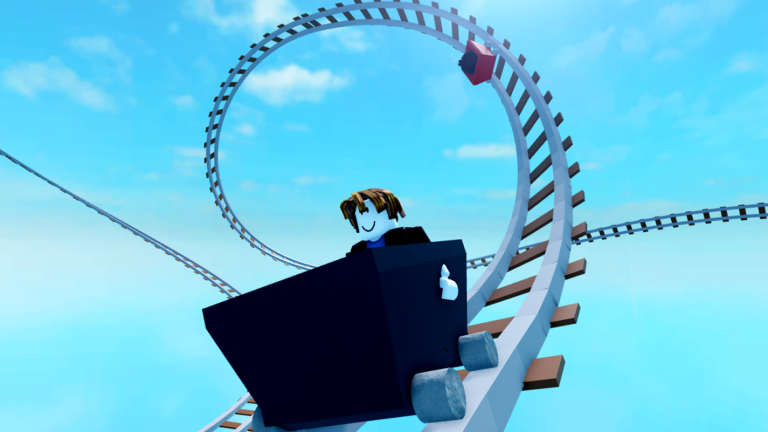
Building is the heart of Create a Cart Ride. Anyone can spawn rails, but memorable rides balance spectacle with survivability. This guide turns editor basics into a repeatable publish checklist. Watch the embedded build session in the middle of the article, then apply the same extend-and-test rhythm on your own plot.
Editor mindset
Think in three acts: launch, middle spectacle, and clean finale. Assign each section a job. The launch should teach speed and camera; the middle can introduce loops or scenery; the end should deliver a satisfying brake or return loop without a cheap invisible kill.
Extending and shaping rails
Use the on-rail arrows to extend segments outward. Raise elevation gradually—vertical spikes look dramatic in freecam and feel unfair in a cart. When a drop is too steep, push segments outward to lengthen the runout. Rotate carefully so banking helps wheels bite instead of throwing riders into the void.
Testing loops and reconnections
Loops that fail to reconnect strand players. Build the loop slowly, ride it yourself after every major change, and keep a checkpoint before the stunt. If you derail “just a little,” visitors will derail a lot. Soften entry angles and avoid combining maximum pitch with maximum yaw in one segment.
Playtest like a stranger
- Equip a large cart and a small cart—design for both if possible.
- Disable your creator knowledge: pretend you never saw the hammer behind the tree.
- Time the run. If early deaths feel random, add sightlines or warning props.
- Ask a friend to ride without coaching.
- Check mobile performance if you use heavy meshes (meshes on mobile).
Presentation tools
Add camera parts for cutscenes once the ride is completable. Freecam (Shift+P for creators on PC) helps inspect overlaps. Keep controls bookmarked for riders who get stuck testing.
Publishing for likes
Likes feed certain unlocks described in unlock carts. Earn them honestly: fair difficulty, clear start, and a reason to replay. Ghost kills and fake checkpoints damage your reputation faster than a simple scenic ride.
Common derail causes
- Instant 90-degree pitch changes
- Missing rail connections after rotating the wrong way
- Speeding into narrow scenery with wide trains
- Overlapping kill parts near checkpoints
- Untested bomb or chase sequences
Fix those before you chase neon aesthetics.
Workflow after Friday updates
New props and carts arrive often—see friday updates. Rebuild one showcase section using new pieces, then return to polishing physics. Cross-check tier list so you understand which visitor carts will attempt your course.
Related creator pages
- Camera parts
- Meshes on mobile
- Guides Hub
- Official links for community feedback channels
Great rides feel inevitable: every rise earns the fall, every turn telegraphs itself, and the finale makes players favourite your world.
Lighting and readability
Dark tunnels can be atmospheric, but riders need to see rails and hazards. Add subtle light props near decision points. If you rely on meshes for mood, keep a bright rail edge so mobile players can still read the path. Playtest with brightness settings lower than your editor defaults, and ask at least one friend to ride without voice coaching before you call the layout finished.
Expanded session notes
Ship a short fair ride before you attempt a mega-park; completion teaches more than an unfinished spectacle.
Frequently Asked Questions
Quick answers to the most common questions.
Why do players keep derailing on my ride?
Steep drops, sharp combined rotations, and missing connections are the usual causes. Lengthen runouts and playtest with large carts.
Should I add cutscenes before the ride works?
No. Make the track completable first, then add camera parts for presentation.
How do I get more likes?
Publish fair, readable courses, playtest thoroughly, and share links through community channels listed on the official links page.